


What is
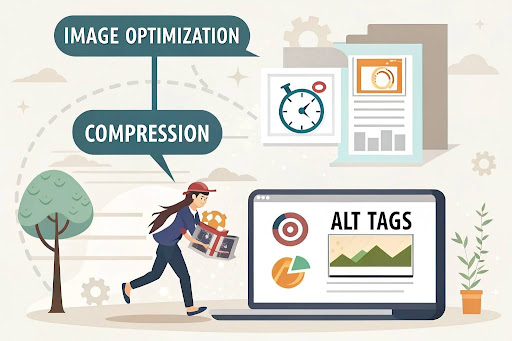
In today's digital era, image optimization is crucial for improving website speed, SEO ranking, and user experience. Whether you are running a digital marketing course in Lucknow or an eCommerce store, properly optimized images enhance visibility and engagement.
What is Image Optimization?
Image optimization involves techniques such as compression, resizing, and adding alt tags to ensure high-quality images with reduced file size. This process helps in :
- Improving website loading speed
- Enhancing search engine optimization (SEO)
- Increasing user engagement
- Reducing bandwidth usage
Image Compression: Reducing File Size Without Quality Loss
Types of Image Compression
1. Lossy Compression
- Reduces image file size by removing some data.
- Common formats: JPEG, WebP.
- Best for websites where minor quality loss is acceptable.
2. Lossless Compression
- Preserves image quality while reducing file size.
- Common formats: PNG, GIF.
- Ideal for logos, icons, and high-detail images.
Benefits of Image Compression
- Faster loading speed
- Reduced server storage requirements
- Better user experience
The Importance of Alt Tags in SEO
What Are Alt Tags?
Alt tags (alternative text) are HTML attributes used to describe an image. They are crucial for SEO and accessibility.
Benefits of Using Alt Tags
Since voice searches tend to be more natural, it's essential to optimize for long-tail keywords and conversational phrases. Tools like Google Keyword Planner and ChatGPT can help identify common spoken queries.
Best Practices for Alt Tags
- Use descriptive text.
- Include focus keywords like digital marketing course in Lucknow.
- Keep it short and relevant.
- Avoid keyword stuffing.
Best Practices for Image Optimization
1. Resize Images Properly
- Resize large images before uploading.
- Use responsive image scaling.
- Maintain a balance between quality and size.
2. Use Proper File Formats
- JPEG for photos.
- PNG for transparent images.
- WebP for modern web optimization.
3. Optimize Image File Names
- Use descriptive and SEO-friendly file names.
- Example: digital-marketing-course-lucknow.jpg instead of IMG123.jpg.
4. Use Plugins for Image Optimization
- For WordPress users, plugins like:
- Smush
- ShortPixel
- Imagify
- can automatically optimize images.
5. Implement an Image Sitemap
- Helps Google index images better.
- Improves image search engine rankings.
Image optimization is essential for SEO, website performance, and accessibility. By implementing compression techniques and alt tags, websites can achieve faster loading speeds, better rankings on Google Images, and improved user experience.
Key Takeaways
- Use lossy and lossless compression based on image requirements.
- Add optimized alt text for SEO and accessibility.
- Choose the right file formats for different image types.
- Utilize WordPress plugins for automatic optimization.
Implementing these strategies will enhance your website’s SEO and help attract more visitors to your digital marketing course in Lucknow .
.gif "Coding Clave Academy")